> ## Documentation Index
> Fetch the complete documentation index at: https://auth0-docs-event-stream-action-templates.mintlify.site/llms.txt
> Use this file to discover all available pages before exploring further.
> Describes the settings related to APIs available in the Auth0 Dashboard.
# API Settings
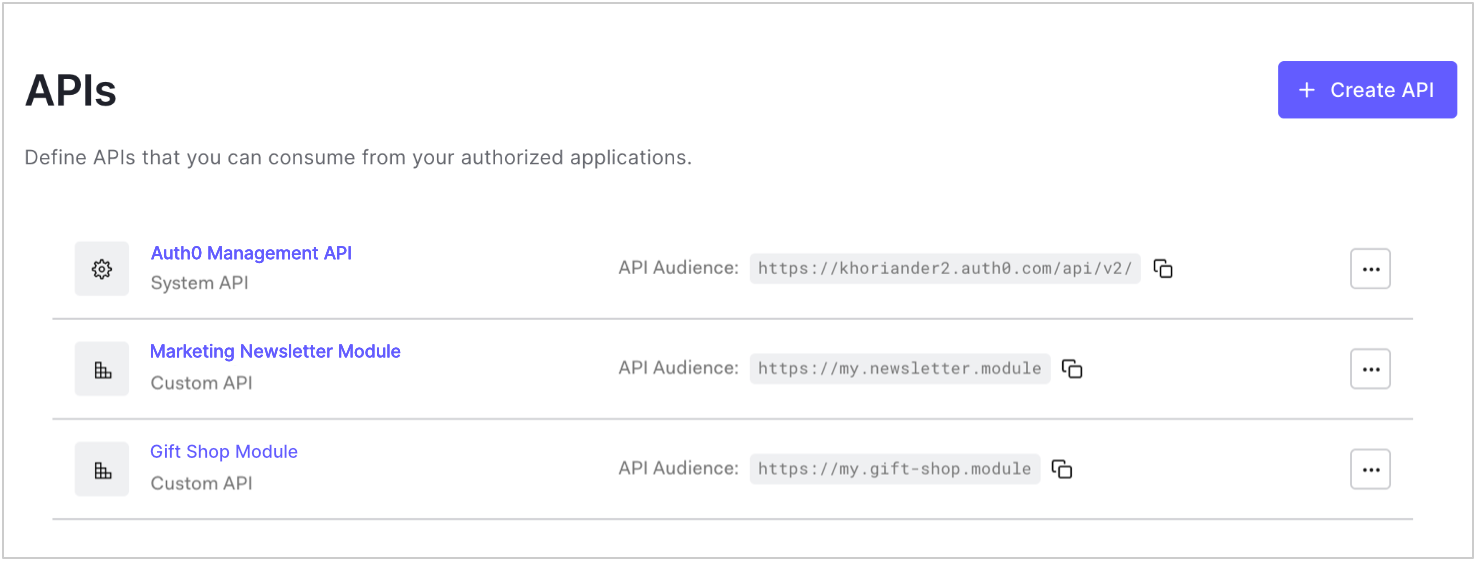
Use the **Settings** tab in the Auth0 Dashboard at [Dashboard > Applications > APIs](https://manage.auth0.com/#/apis) to configure registered APIs that you can consume from your authorized applications. To configure an API's settings, click **...** next to an API in the list and select **Settings** or click the API name. To learn how to create and register an API, read [Register APIs](/docs/get-started/auth0-overview/set-up-apis).
 ## Settings
Use the settings on this tab to configure token expiration, role-based access control (RBAC), and other access settings. Click **Save** at the bottom of the tab to save changes.
### General Settings
These fields were set when you initially registered the API, except in the case of the Auth0 Management API. You can only modify the **Name**.
## Settings
Use the settings on this tab to configure token expiration, role-based access control (RBAC), and other access settings. Click **Save** at the bottom of the tab to save changes.
### General Settings
These fields were set when you initially registered the API, except in the case of the Auth0 Management API. You can only modify the **Name**.
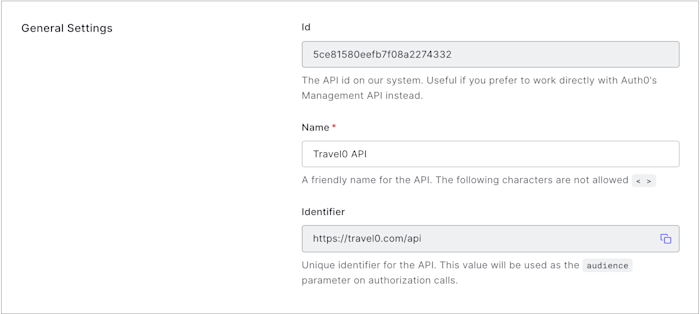 * **Id**: A unique alphanumeric string generated by Auth0. This information is read-only, and you will only need it if you will be working directly with [Auth0's Management API Resource Servers endpoints](https://auth0.com/docs/api/management/v2#!/Resource_Servers/get_resource_servers_by_id).
* **Name**: A friendly name for the API. Does not affect any functionality. The following characters are not allowed: `< >`.
* **Identifier**: A unique identifier for your API. This value is set upon API creation and cannot be modified afterward. We recommend using a URL, but this doesn't have to be a publicly available URL; Auth0 will not call your API at all.
### Token Settings
* **Id**: A unique alphanumeric string generated by Auth0. This information is read-only, and you will only need it if you will be working directly with [Auth0's Management API Resource Servers endpoints](https://auth0.com/docs/api/management/v2#!/Resource_Servers/get_resource_servers_by_id).
* **Name**: A friendly name for the API. Does not affect any functionality. The following characters are not allowed: `< >`.
* **Identifier**: A unique identifier for your API. This value is set upon API creation and cannot be modified afterward. We recommend using a URL, but this doesn't have to be a publicly available URL; Auth0 will not call your API at all.
### Token Settings
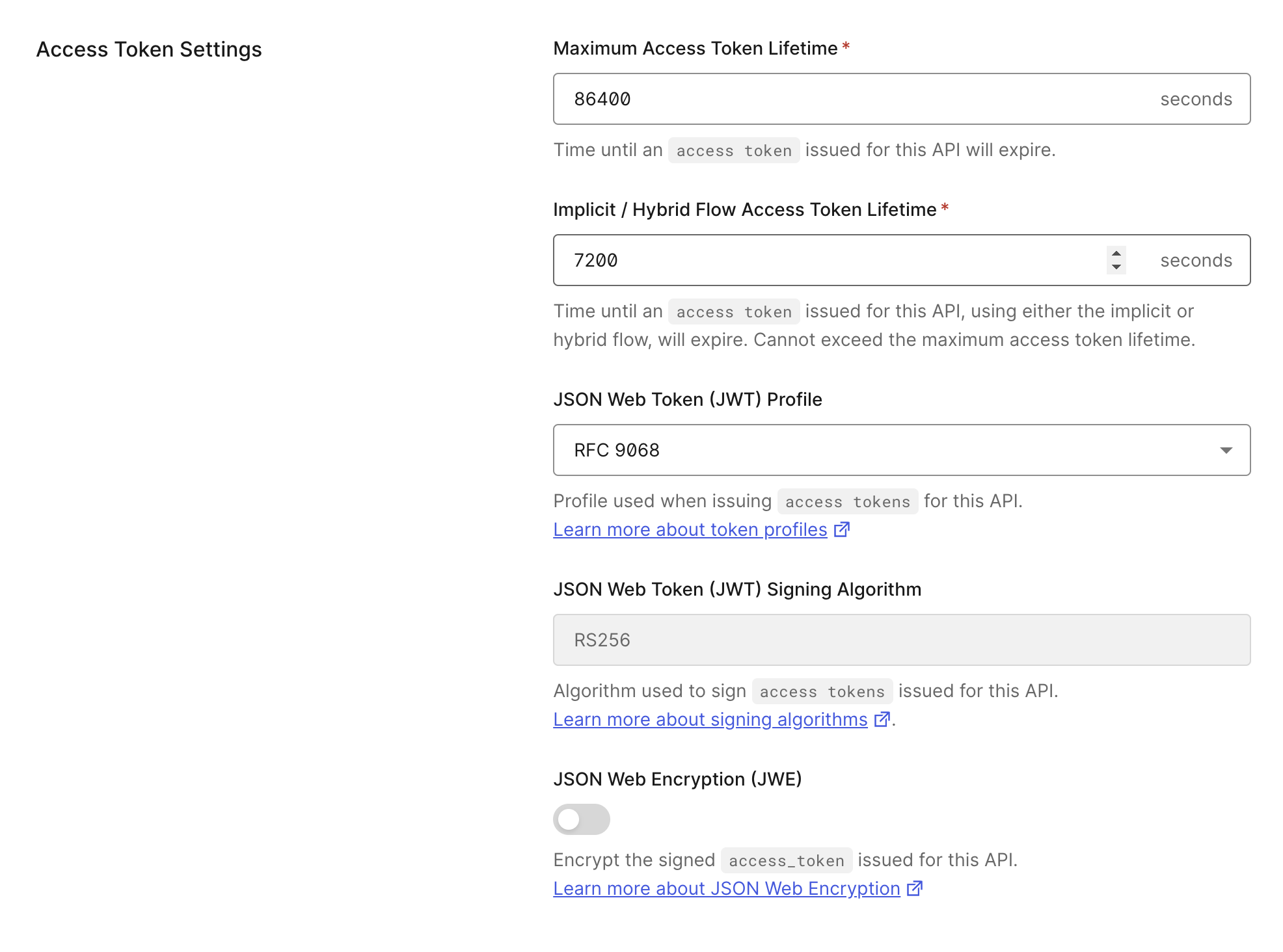 * **Maximum Access Token Lifetime (Seconds)**: The amount of time (in seconds) before an access token expires. The default value is 86400 seconds (24 hours). The maximum value you can set is 2592000 seconds (30 days).
* **Implicit / Hybrid Flow Access Token Lifetime (Seconds)**: The amount of time (in seconds) before an access token issued using an implicit or hybrid flow expires. The default value is 86400 seconds (24 hours). The value cannot exceed the maximum access token lifetime.
* **JSON Web Token (JWT) Profile**: The profile determines the format of the access tokens issued for the API. The available values are `Auth0` and `RFC 9068`. To learn more, read [Access Token Profiles](/docs/secure/tokens/access-tokens/access-token-profiles).
* **JSON Web Token (JWT) Signing Algorithm**: The algorithm with which to sign the tokens. The signature is used to verify that the sender of the JWT is who it says it is and to ensure that the message wasn't changed along the way. The available values are [`HS256`](https://en.wikipedia.org/wiki/Symmetric-key_algorithm) and [`RS256`](https://en.wikipedia.org/wiki/Public-key_cryptography). If you select `RS256` (recommended), the token will be signed with your tenant's private key. This value is set when your API is created and cannot be modified afterward. To learn more about signing algorithms and how they work in Auth0, read [Signing Algorithms](/docs/get-started/applications/signing-algorithms).
The signature is part of a JWT. If you are unfamiliar with JWT structure, please see [JSON Web Token Structure](/docs/secure/tokens/json-web-tokens/json-web-token-structure).
* **JSON Web Encryption (JWE):** When enabled, issued access tokens are encrypted using JSON Web Encryption (JWE). format. To learn more, read [JSON Web Encryption](/docs/secure/tokens/access-tokens/json-web-encryption).
### RBAC Settings
* **Maximum Access Token Lifetime (Seconds)**: The amount of time (in seconds) before an access token expires. The default value is 86400 seconds (24 hours). The maximum value you can set is 2592000 seconds (30 days).
* **Implicit / Hybrid Flow Access Token Lifetime (Seconds)**: The amount of time (in seconds) before an access token issued using an implicit or hybrid flow expires. The default value is 86400 seconds (24 hours). The value cannot exceed the maximum access token lifetime.
* **JSON Web Token (JWT) Profile**: The profile determines the format of the access tokens issued for the API. The available values are `Auth0` and `RFC 9068`. To learn more, read [Access Token Profiles](/docs/secure/tokens/access-tokens/access-token-profiles).
* **JSON Web Token (JWT) Signing Algorithm**: The algorithm with which to sign the tokens. The signature is used to verify that the sender of the JWT is who it says it is and to ensure that the message wasn't changed along the way. The available values are [`HS256`](https://en.wikipedia.org/wiki/Symmetric-key_algorithm) and [`RS256`](https://en.wikipedia.org/wiki/Public-key_cryptography). If you select `RS256` (recommended), the token will be signed with your tenant's private key. This value is set when your API is created and cannot be modified afterward. To learn more about signing algorithms and how they work in Auth0, read [Signing Algorithms](/docs/get-started/applications/signing-algorithms).
The signature is part of a JWT. If you are unfamiliar with JWT structure, please see [JSON Web Token Structure](/docs/secure/tokens/json-web-tokens/json-web-token-structure).
* **JSON Web Encryption (JWE):** When enabled, issued access tokens are encrypted using JSON Web Encryption (JWE). format. To learn more, read [JSON Web Encryption](/docs/secure/tokens/access-tokens/json-web-encryption).
### RBAC Settings
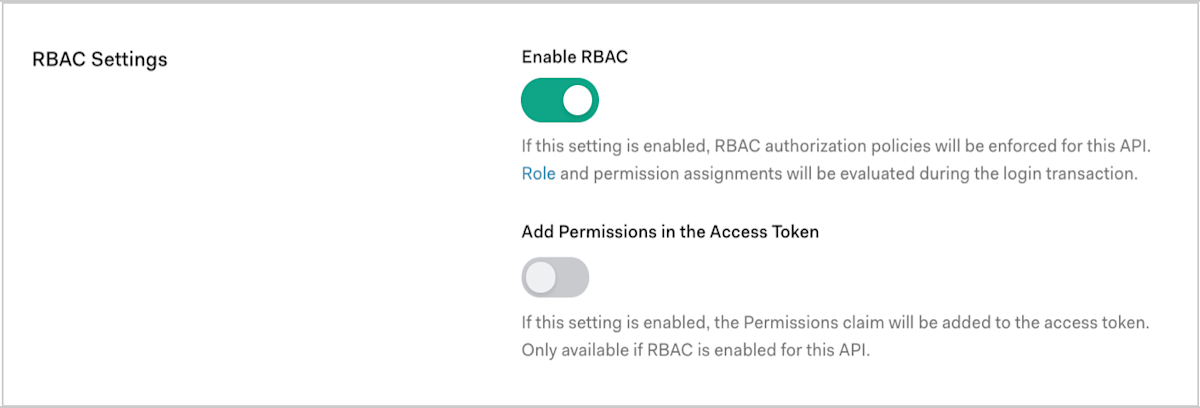 * **Enable RBAC**: Enable this setting for RBAC policies to be enforced for the API. To learn more, read [Role-Based Access Control](/docs/manage-users/access-control/rbac) and [Enable Role-Based Access Control for APIs](/docs/get-started/apis/enable-role-based-access-control-for-apis).
* **Add Permissions in the Access Token**: Enable this setting to add the Permissions claim to the access token. This setting is only available if you enable RBAC. You can configure permissions on the **Permissions** tab.
### Access Settings
* **Enable RBAC**: Enable this setting for RBAC policies to be enforced for the API. To learn more, read [Role-Based Access Control](/docs/manage-users/access-control/rbac) and [Enable Role-Based Access Control for APIs](/docs/get-started/apis/enable-role-based-access-control-for-apis).
* **Add Permissions in the Access Token**: Enable this setting to add the Permissions claim to the access token. This setting is only available if you enable RBAC. You can configure permissions on the **Permissions** tab.
### Access Settings
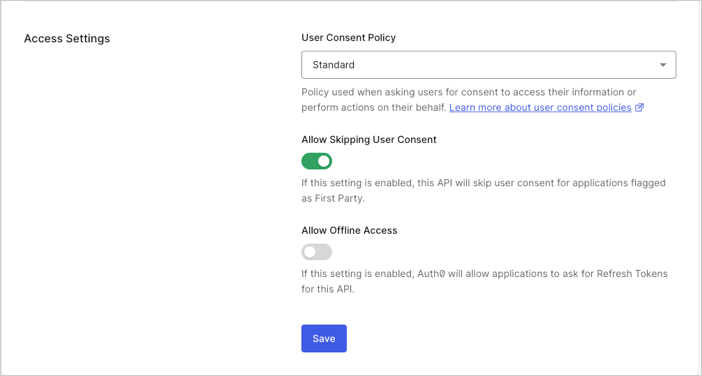 * **Allow Skipping User Consent**: Enable this setting for the API to skip user consent for applications flagged as "first party."
* **Allow Offline Access**: Enable this setting to allow applications to ask for refresh tokens for the API.
#### Default Policy setting
Authentication assurance for the **My Account API** is currently in Early Access with a single-option policy. By using this feature, you agree to the applicable Free Trial terms in Okta’s [Master Subscription Agreement](https://www.okta.com/legal). To learn more about Auth0's product release cycle, read [Product Release Stages](/docs/troubleshoot/product-lifecycle/product-release-stages). To participate in the program, contact [Auth0 Support](https://support.auth0.com).
* **Allow Skipping User Consent**: Enable this setting for the API to skip user consent for applications flagged as "first party."
* **Allow Offline Access**: Enable this setting to allow applications to ask for refresh tokens for the API.
#### Default Policy setting
Authentication assurance for the **My Account API** is currently in Early Access with a single-option policy. By using this feature, you agree to the applicable Free Trial terms in Okta’s [Master Subscription Agreement](https://www.okta.com/legal). To learn more about Auth0's product release cycle, read [Product Release Stages](/docs/troubleshoot/product-lifecycle/product-release-stages). To participate in the program, contact [Auth0 Support](https://support.auth0.com).
 * **Require 2FA**: When enabled, Auth0 enforces the Default Policy on the My Account API to trigger [Step-Up Authentication](/docs/secure/multi-factor-authentication/step-up-authentication). Users are required to authenticate with a second factor within 15 minutes. To learn about the full behavior and how to enable it, read [My Account API: Default Policy](/docs/manage-users/my-account-api#default-policy).
The Default Policy is not available with Classic Login.
## Permissions
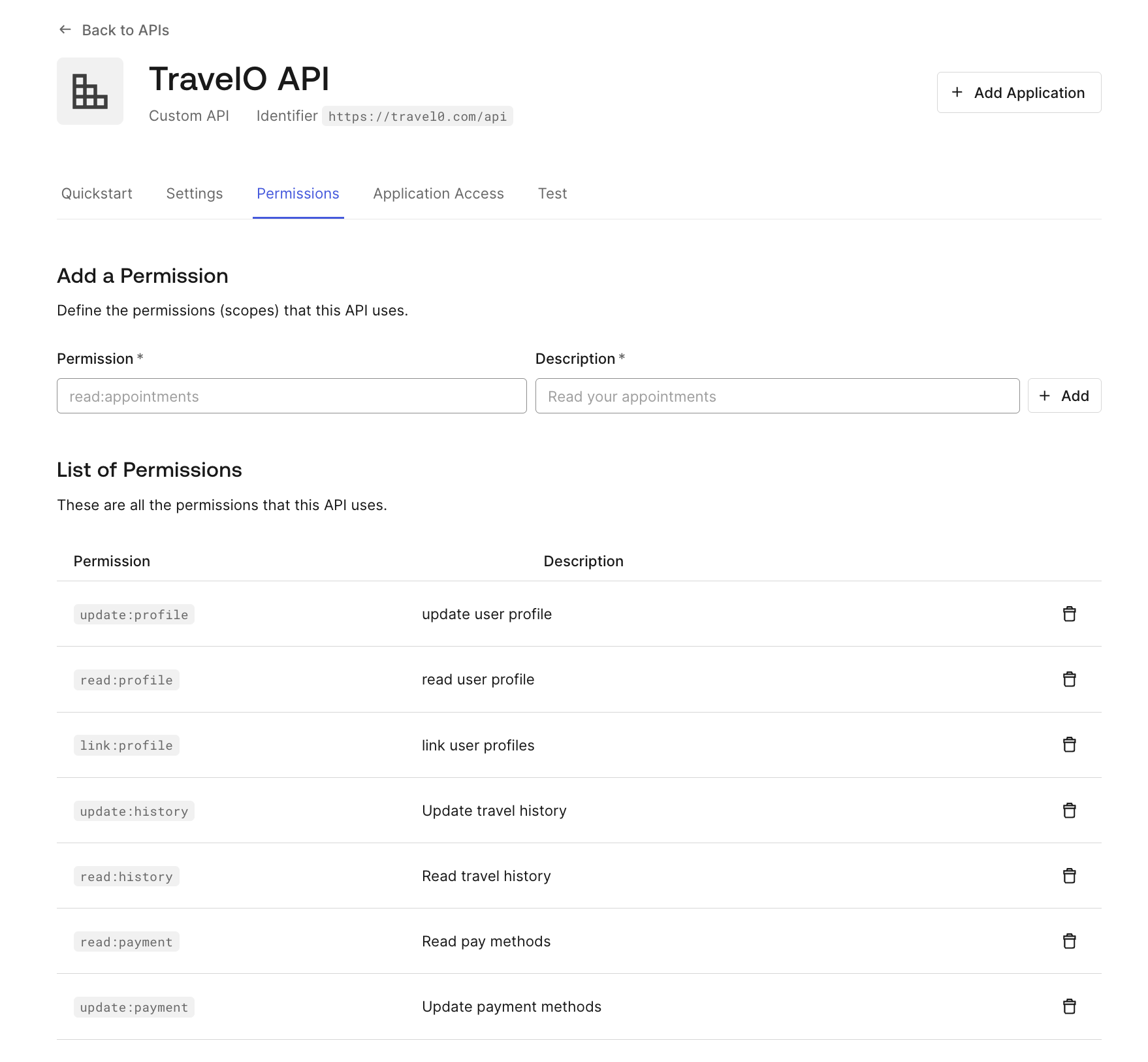
Use the settings on the **Permissions** tab to define the permissions (scopes) that the API will use. To learn more, read [Add API Permissions](/docs/get-started/apis/add-api-permissions) and [Delete API Permissions](/docs/get-started/apis/delete-api-permissions).
* **Require 2FA**: When enabled, Auth0 enforces the Default Policy on the My Account API to trigger [Step-Up Authentication](/docs/secure/multi-factor-authentication/step-up-authentication). Users are required to authenticate with a second factor within 15 minutes. To learn about the full behavior and how to enable it, read [My Account API: Default Policy](/docs/manage-users/my-account-api#default-policy).
The Default Policy is not available with Classic Login.
## Permissions
Use the settings on the **Permissions** tab to define the permissions (scopes) that the API will use. To learn more, read [Add API Permissions](/docs/get-started/apis/add-api-permissions) and [Delete API Permissions](/docs/get-started/apis/delete-api-permissions).
 ## Machine-to-Machine Applications
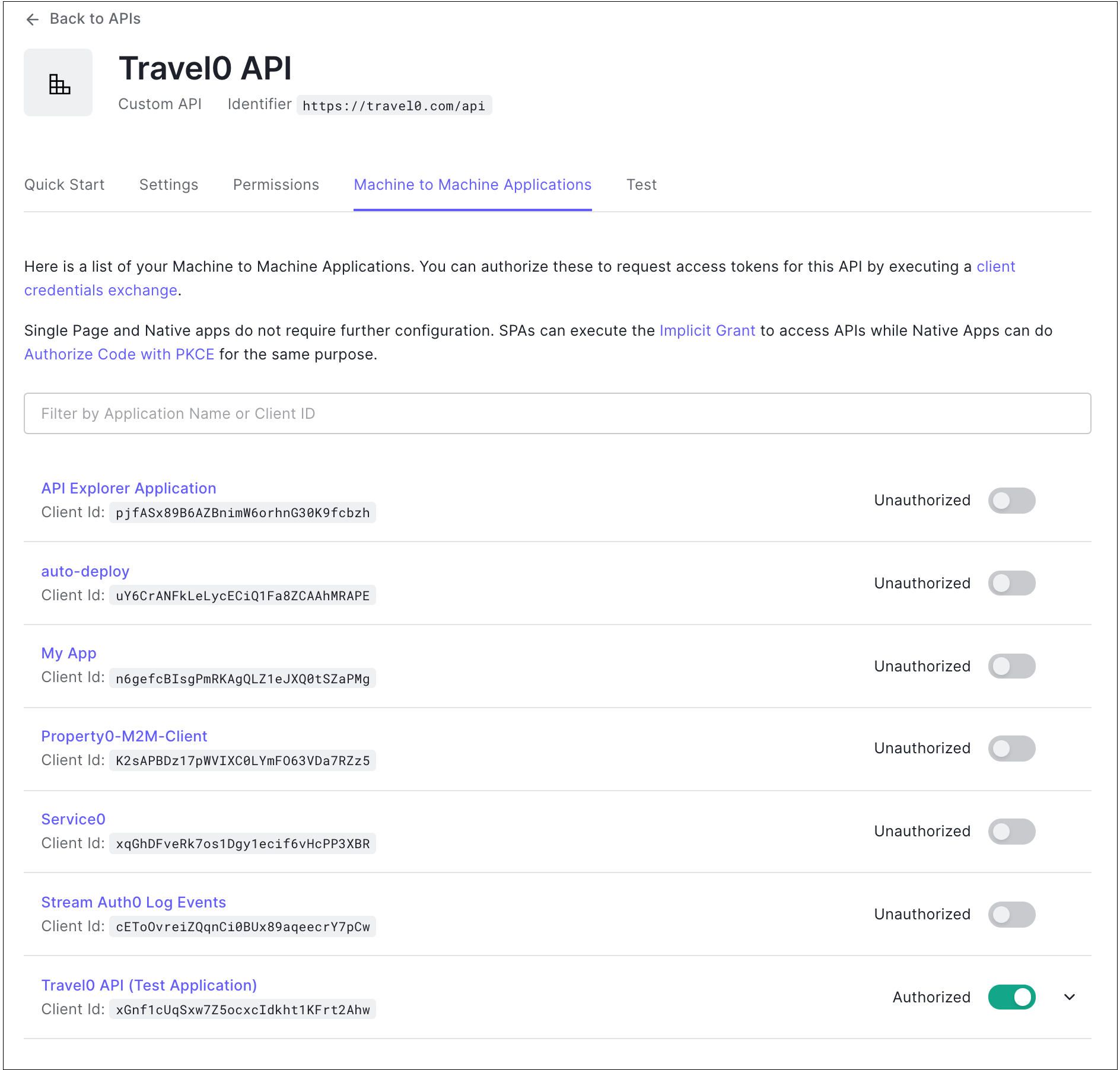
If you have machine-to-machine applications, they will appear in a list on this tab. Use the toggles to authorize applications in the list. To learn more, read [Register Machine-to-Machine Applications](/docs/get-started/auth0-overview/create-applications/machine-to-machine-apps).
## Machine-to-Machine Applications
If you have machine-to-machine applications, they will appear in a list on this tab. Use the toggles to authorize applications in the list. To learn more, read [Register Machine-to-Machine Applications](/docs/get-started/auth0-overview/create-applications/machine-to-machine-apps).
 ## Test
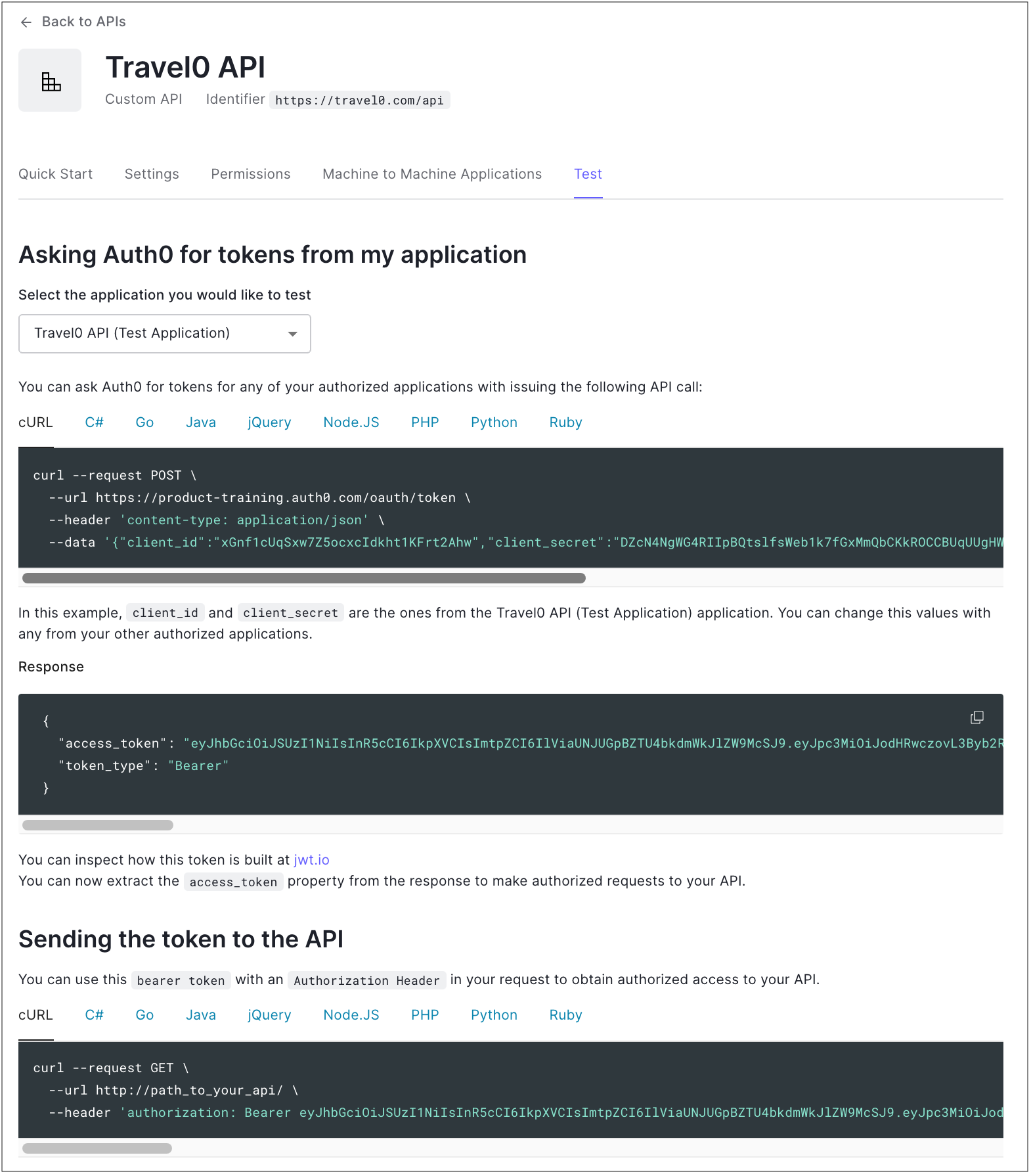
A test application is automatically created by Auth0 to allow to tests with the API. To learn how to create more test machine-to-machine applications for Management API testing, read [Create Machine-to-Machine Applications for Testing](/docs/get-started/apis/create-m2m-app-test).
## Test
A test application is automatically created by Auth0 to allow to tests with the API. To learn how to create more test machine-to-machine applications for Management API testing, read [Create Machine-to-Machine Applications for Testing](/docs/get-started/apis/create-m2m-app-test).
 ## Management API Explorer
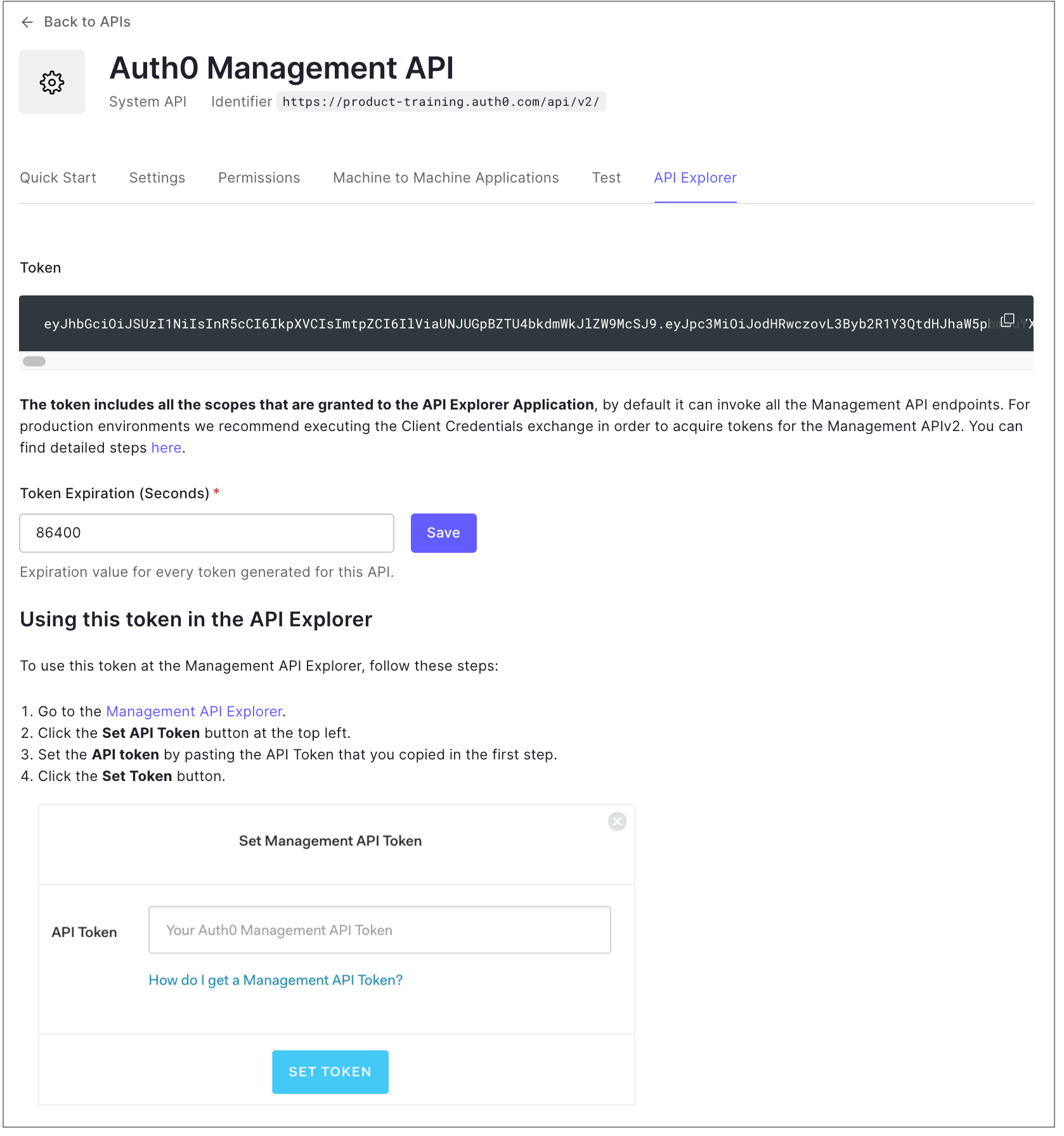
If you view the **Settings** for the Auth0 Management API, you will see an additional tab called **API Explorer**.
## Management API Explorer
If you view the **Settings** for the Auth0 Management API, you will see an additional tab called **API Explorer**.
 ## Learn more
* [Register APIs](/docs/get-started/auth0-overview/set-up-apis)
* [Tokens](/docs/secure/tokens)
* [Signing Algorithms](/docs/get-started/applications/signing-algorithms)
* [API Scopes](/docs/get-started/apis/scopes/api-scopes)
* [Configure Logical API for Multiple APIs](/docs/get-started/apis/set-logical-api)
* [Create Machine-to-Machine Applications for Testing](/docs/get-started/apis/create-m2m-app-test)
## Learn more
* [Register APIs](/docs/get-started/auth0-overview/set-up-apis)
* [Tokens](/docs/secure/tokens)
* [Signing Algorithms](/docs/get-started/applications/signing-algorithms)
* [API Scopes](/docs/get-started/apis/scopes/api-scopes)
* [Configure Logical API for Multiple APIs](/docs/get-started/apis/set-logical-api)
* [Create Machine-to-Machine Applications for Testing](/docs/get-started/apis/create-m2m-app-test)