> ## Documentation Index
> Fetch the complete documentation index at: https://auth0-docs-event-stream-action-templates.mintlify.site/llms.txt
> Use this file to discover all available pages before exploring further.
> The Auth0 login page can’t display an error message from a rule. Learn what to do instead.
# Raise Errors from Rules
The End of Life (EOL) date of Rules and Hooks will be **November 18, 2026**, and they are no longer available to new tenants created as of **October 16, 2023**. Existing tenants with active Hooks will retain Hooks product access through end of life.
We highly recommend that you use Actions to extend Auth0. With Actions, you have access to rich type information, inline documentation, and public `npm` packages, and can connect external integrations that enhance your overall extensibility experience. To learn more about what Actions offer, read [Understand How Auth0 Actions Work](/docs/customize/actions/actions-overview).
To help with your migration, we offer guides that will help you [migrate from Rules to Actions](/docs/customize/actions/migrate/migrate-from-rules-to-actions) and [migrate from Hooks to Actions](/docs/customize/actions/migrate/migrate-from-hooks-to-actions). We also have a dedicated [Move to Actions](https://auth0.com/extensibility/movetoactions) page that highlights feature comparisons, [an Actions demo](https://www.youtube.com/watch?v=UesFSY1klrI), and other resources to help you on your migration journey.
To read more about the Rules and Hooks deprecation, read our blog post: [Preparing for Rules and Hooks End of Life](https://auth0.com/blog/preparing-for-rules-and-hooks-end-of-life/).
The Auth0 login page can’t display an error message from a rule. If you want users to see a custom message raised from a rule, your app must display that message.
Any error resulting from a rule goes to your callback URL in the protocol’s standard response mode. For example, if your application requests authentication using OIDC/OAuth2, it receives a standard OAuth2 error with `error` and `error_description` result values.
Suppose your callback URL is [https://travel0.com/callback](https://travel0.com/callback) and you’re using the standard query response mode. You would receive this response:
```http wrap lines theme={null}
https://travel0.com/callback?error=access_denied&error_description=[The message you wrote in the rule]
```
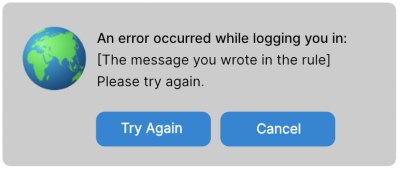
It’s the role of your app to display the message to the user, such as:
 ## Retry login after a rule error
A likely next step is to request a new authorization. However, in most cases, Auth0 already knows who the user is and so doesn’t ask for login information. Instead, rules run immediately and the rule denies authorization again. This can become an endless loop.
The user needs an opportunity to provide new credentials. There are two ways your app can make the login page display again:
* Add a directive in the request to force the display of the login page:
* Use a `prompt=login` parameter to an OIDC/OAuth2 request.
* Use a `ForceAuthn="true"` attribute in a SAML request.
—or—
* Log the user out of Auth0 before you send a new request.
## Learn more
* [Auth0 Rules](/docs/customize/rules)
* [Log Users Out of Applications](/docs/authenticate/login/logout/log-users-out-of-applications)
* [Rule Use Cases](/docs/customize/rules/use-cases)
## Retry login after a rule error
A likely next step is to request a new authorization. However, in most cases, Auth0 already knows who the user is and so doesn’t ask for login information. Instead, rules run immediately and the rule denies authorization again. This can become an endless loop.
The user needs an opportunity to provide new credentials. There are two ways your app can make the login page display again:
* Add a directive in the request to force the display of the login page:
* Use a `prompt=login` parameter to an OIDC/OAuth2 request.
* Use a `ForceAuthn="true"` attribute in a SAML request.
—or—
* Log the user out of Auth0 before you send a new request.
## Learn more
* [Auth0 Rules](/docs/customize/rules)
* [Log Users Out of Applications](/docs/authenticate/login/logout/log-users-out-of-applications)
* [Rule Use Cases](/docs/customize/rules/use-cases)