> ## Documentation Index
> Fetch the complete documentation index at: https://auth0-docs-event-stream-action-templates.mintlify.site/llms.txt
> Use this file to discover all available pages before exploring further.
> Describes how to review Flow executions and debug executions of Forms.
# Execution and Debugger
Each time a flow executes, Auth0 stores an entry that you can use to debug the execution. This is useful to understand why a flow execution error has occurred. For example: a flow can fail due to missing properties, typos, incorrect API keys, etc.
## Review flow executions
To review an execution entry for a flow, follow the steps below:
1. Navigate to **Auth0 Dashboard > Actions > Forms**, then select **Flows**.
2. Select a flow from the list.
3. Select **Executions**.
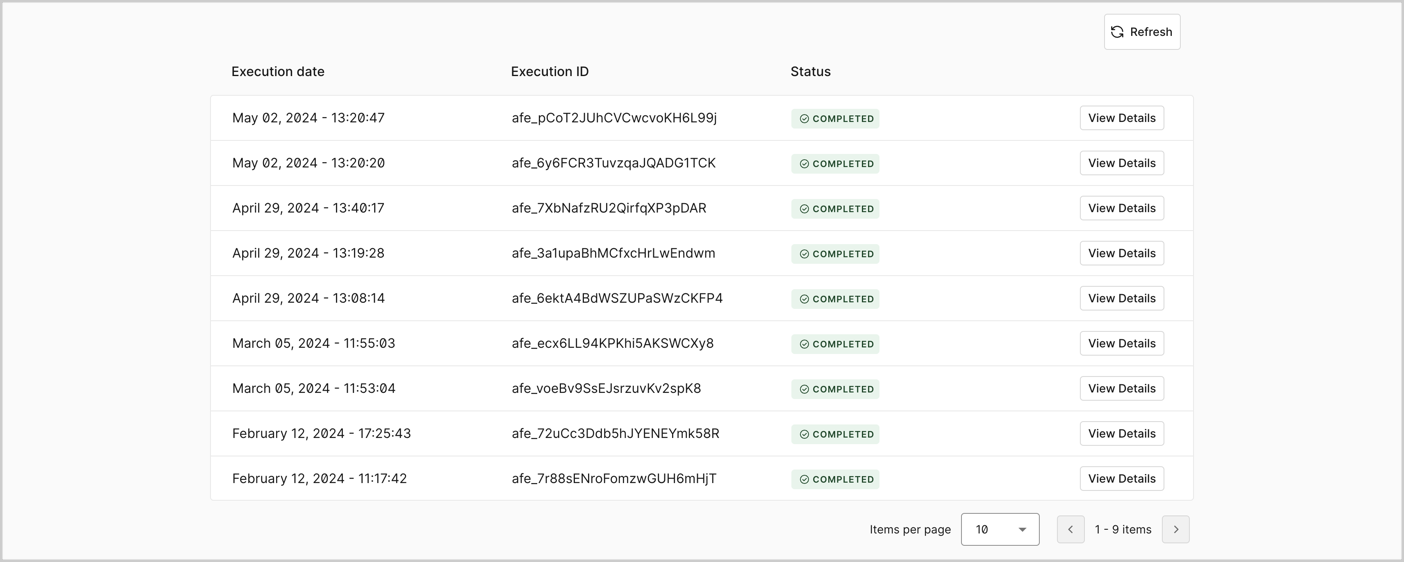 Every execution entry has four properties:
* **Execution date**: The date of the flow execution.
* **Execution ID**: The unique ID of the flow execution.
* **Status**: The current stage of the flow execution. There are four possible execution statuses:
* **Running**: The execution is currently in progress.
* **Failed**: The execution failed due to an internal error, such as missing required settings in a flow action.
* **Completed**: The execution finished without internal errors.
* **View Details**: Opens the debug window of the execution.
Every execution entry has four properties:
* **Execution date**: The date of the flow execution.
* **Execution ID**: The unique ID of the flow execution.
* **Status**: The current stage of the flow execution. There are four possible execution statuses:
* **Running**: The execution is currently in progress.
* **Failed**: The execution failed due to an internal error, such as missing required settings in a flow action.
* **Completed**: The execution finished without internal errors.
* **View Details**: Opens the debug window of the execution.
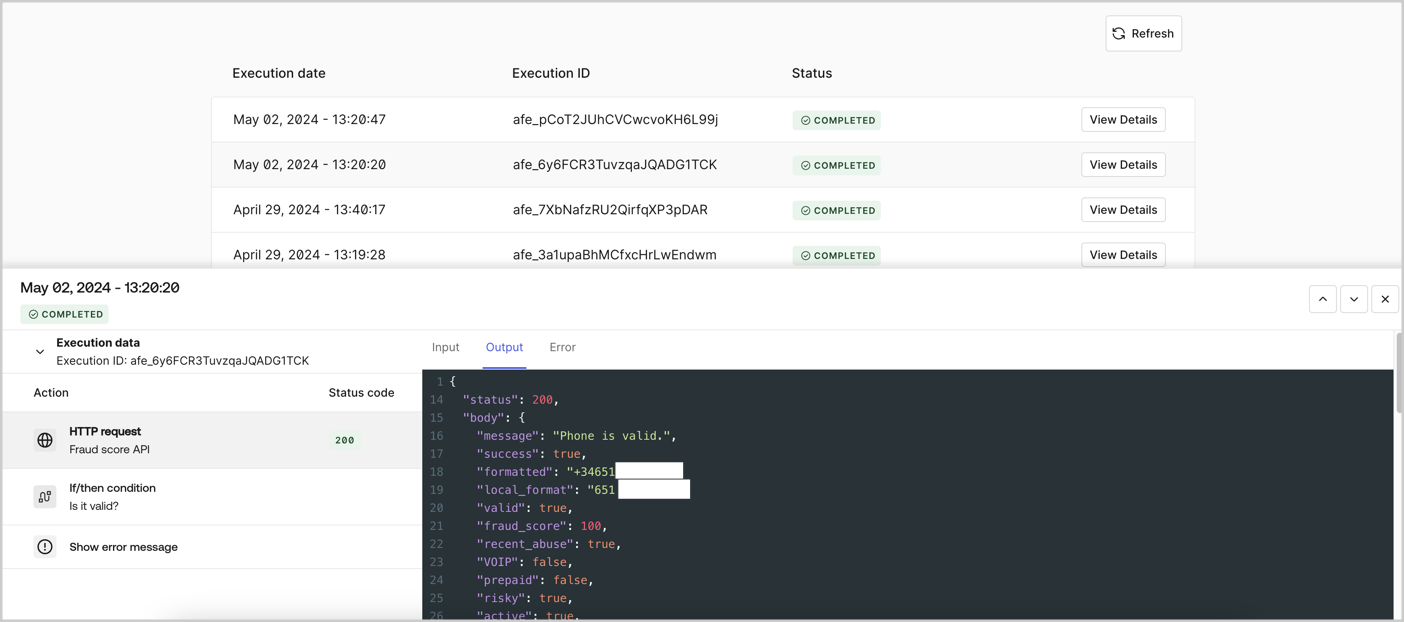 Completed and Failed are final statuses. When an execution reaches either status, the flow is fully processed.
## Debug flow executions
To help debug or troubleshoot a flow, you can review the flow’s input, output, and error data by accessing the **View Details** of the execution.
Completed and Failed are final statuses. When an execution reaches either status, the flow is fully processed.
## Debug flow executions
To help debug or troubleshoot a flow, you can review the flow’s input, output, and error data by accessing the **View Details** of the execution.
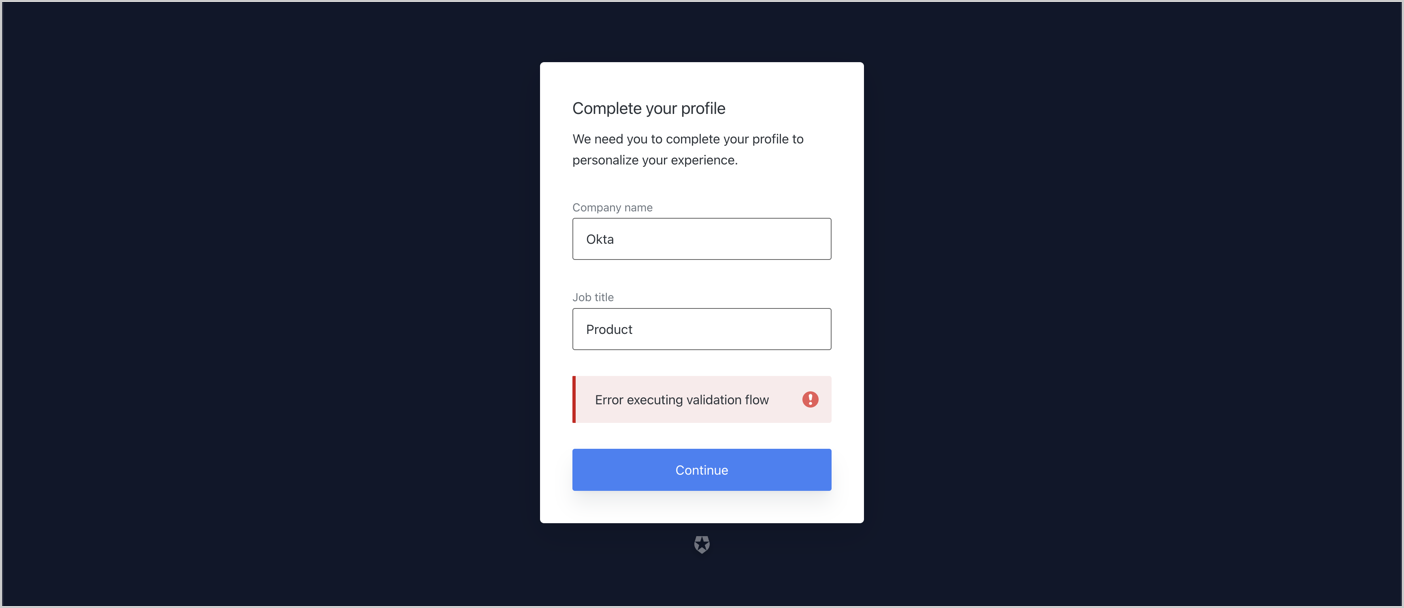 To debug an error that interrupts the flow execution, follow these steps:
1. Navigate to **Auth0 Dashboard > Actions > Forms**
2. Locate the flow linked to the step node.
To debug an error that interrupts the flow execution, follow these steps:
1. Navigate to **Auth0 Dashboard > Actions > Forms**
2. Locate the flow linked to the step node.
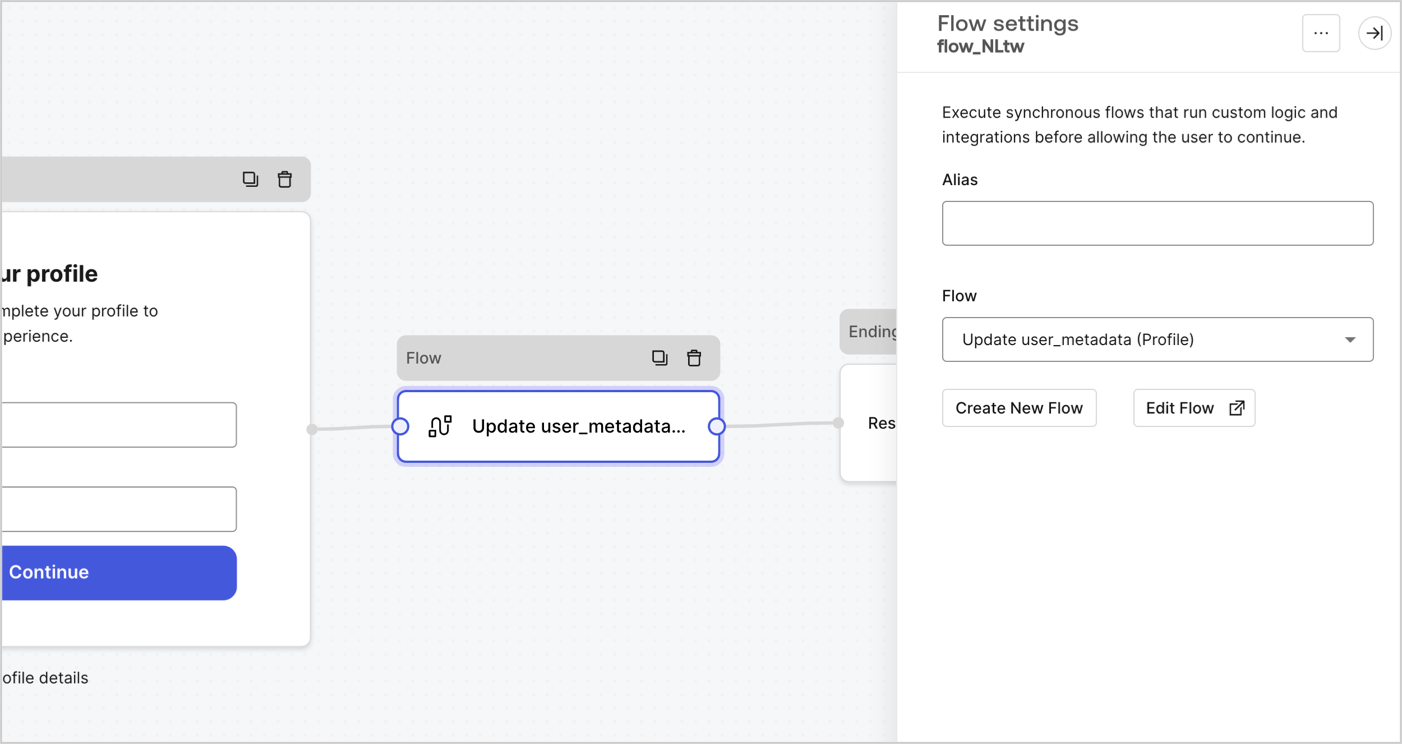 3. Select **Edit Flow.**
4. Select **Executions**.
5. Select **View Details** of the Failed execution.
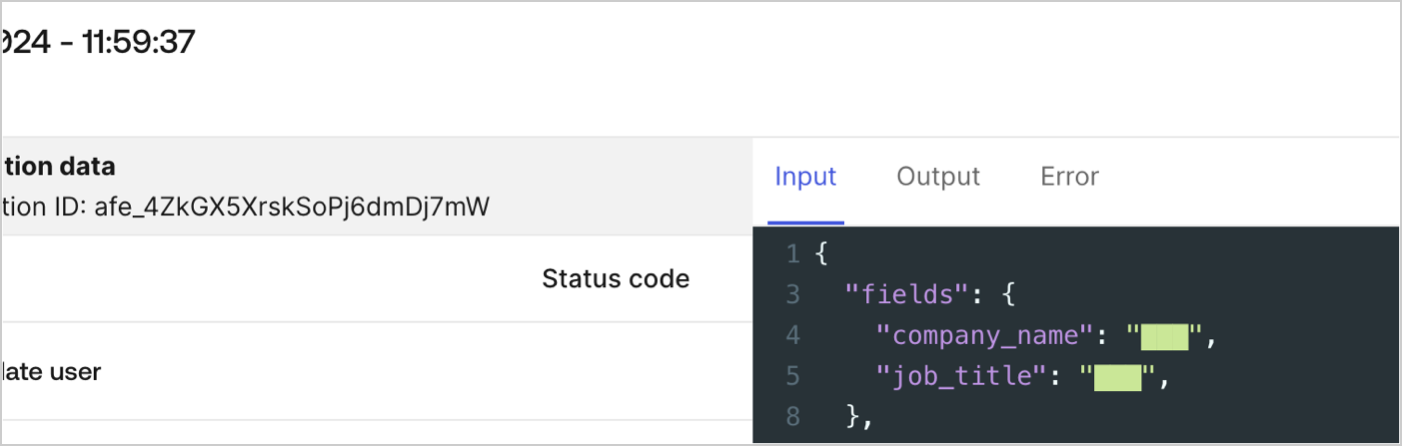
In the example below, the `Update user` **Input** view shows a null value for the `user_id` property.
3. Select **Edit Flow.**
4. Select **Executions**.
5. Select **View Details** of the Failed execution.
In the example below, the `Update user` **Input** view shows a null value for the `user_id` property.
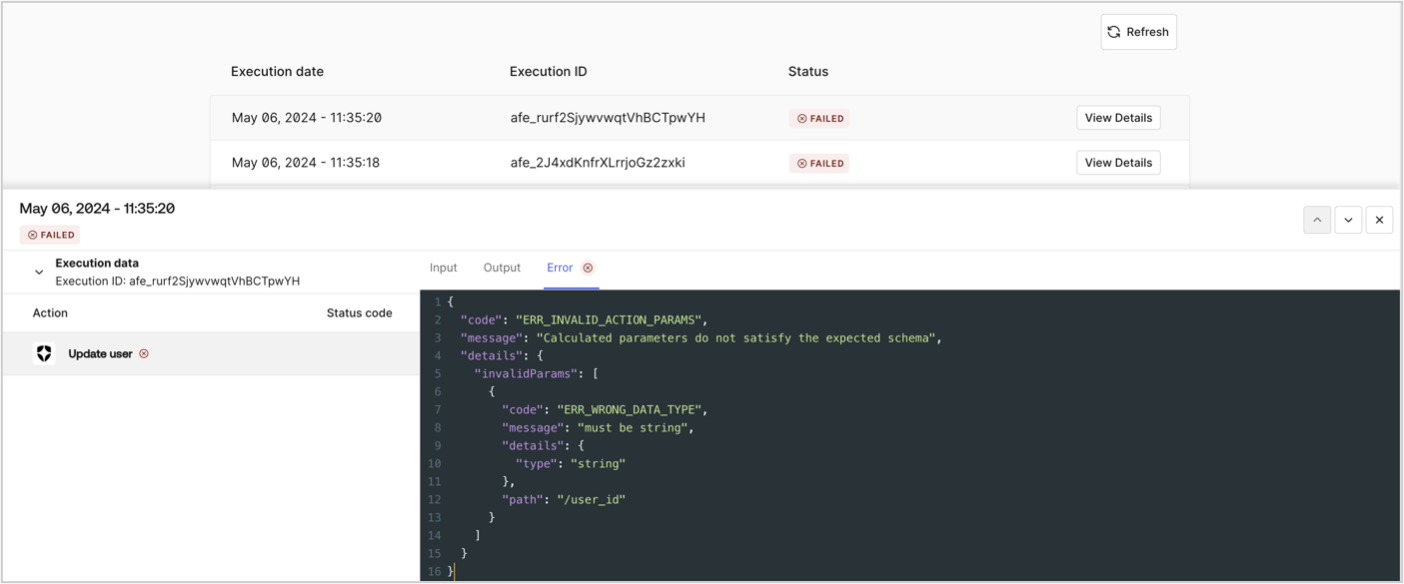
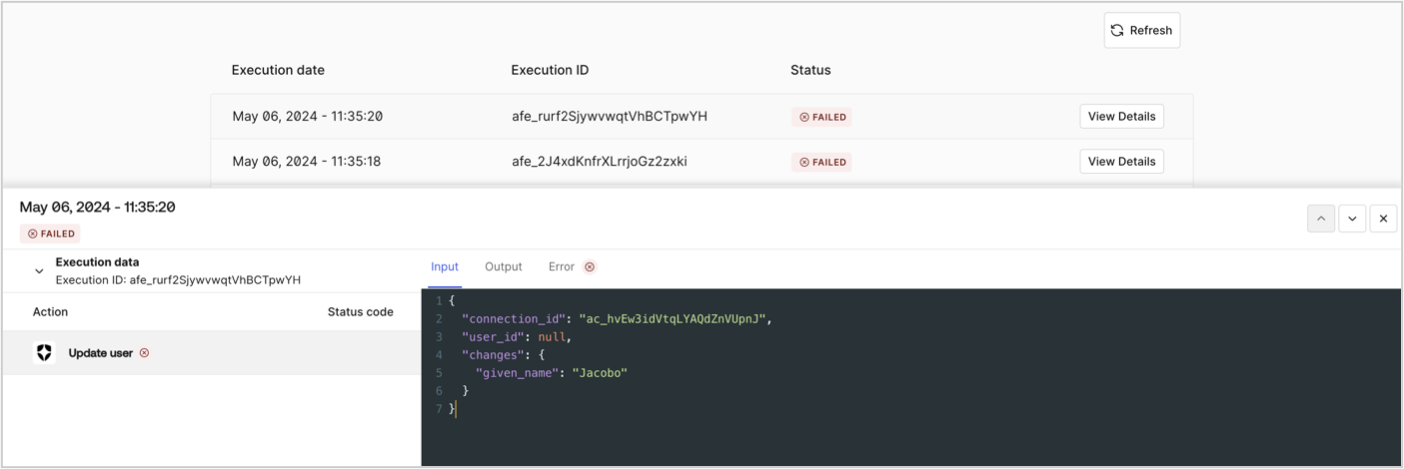 The **Error** view indicates that the action’s schema validation failed due to a missing the required `user_id`. The flow returns an internal error that interrupts the flow execution.
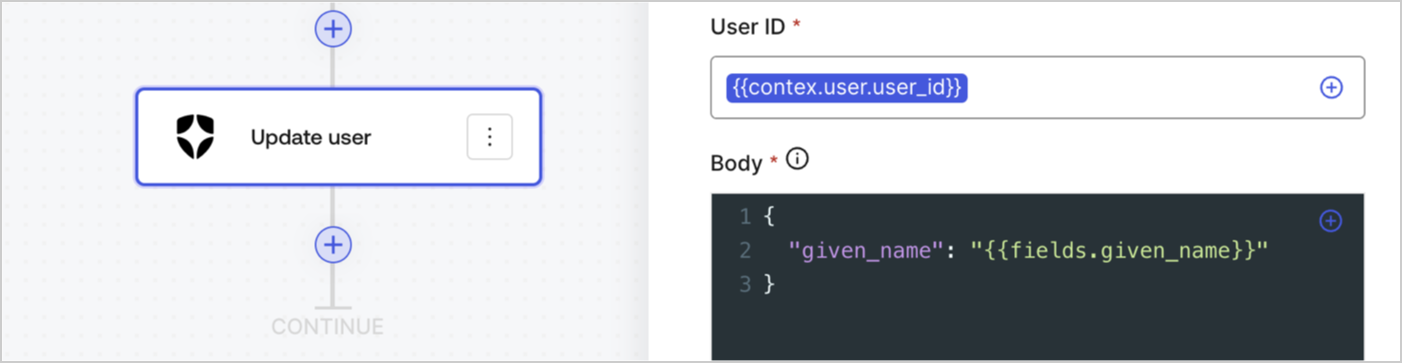
 A review of the **Update user** action shows a syntax error in the `User ID` parameter, the correct syntax is `{{context.user.user_id}}`. Once the syntax is corrected, test the flow to confirm. To learn more about variable syntaxes, read [Variables](/docs/customize/forms/variables).
 If a field is configured as transient or when its value is masked with a [Helper function](/docs/customize/forms/variables#helper-functions), the value is not available to debug.